Once the candidate is mapped to a training class, recruiters should move such candidate’s data to the Employee Database for the US employees i.e. AID – Agent Info Database. Once the applicant is moved to the database, the applicant details can only be updated through Employee Change Form (ECF) i.e., a separate process out of this system. No details of the applicant will be editable after it is moved to DB.
Note: Only authorized users can move the candidate to the AID – Employee Database.
To access this functionality, select Recruiting Action > Move to AID.
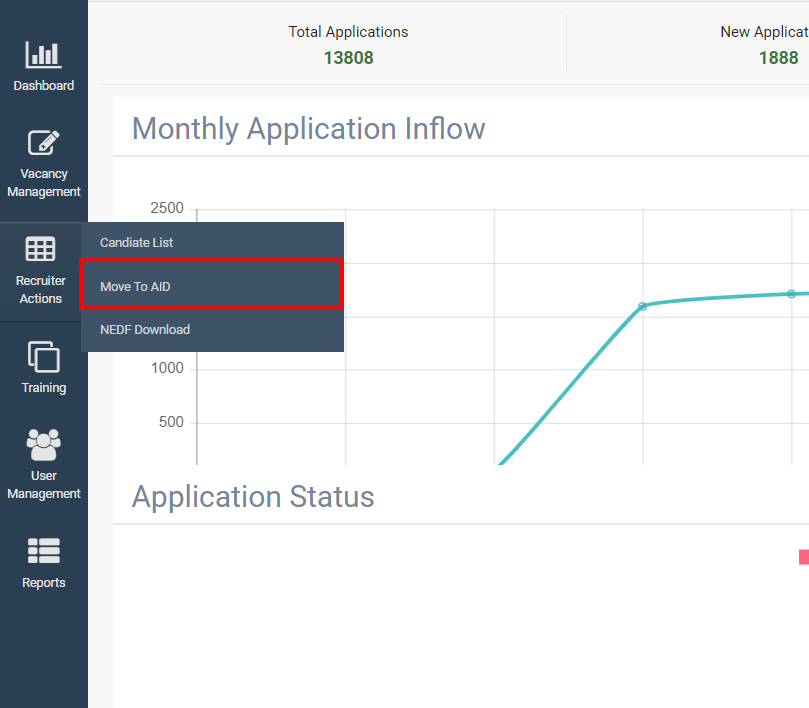
The page appears as shown below:
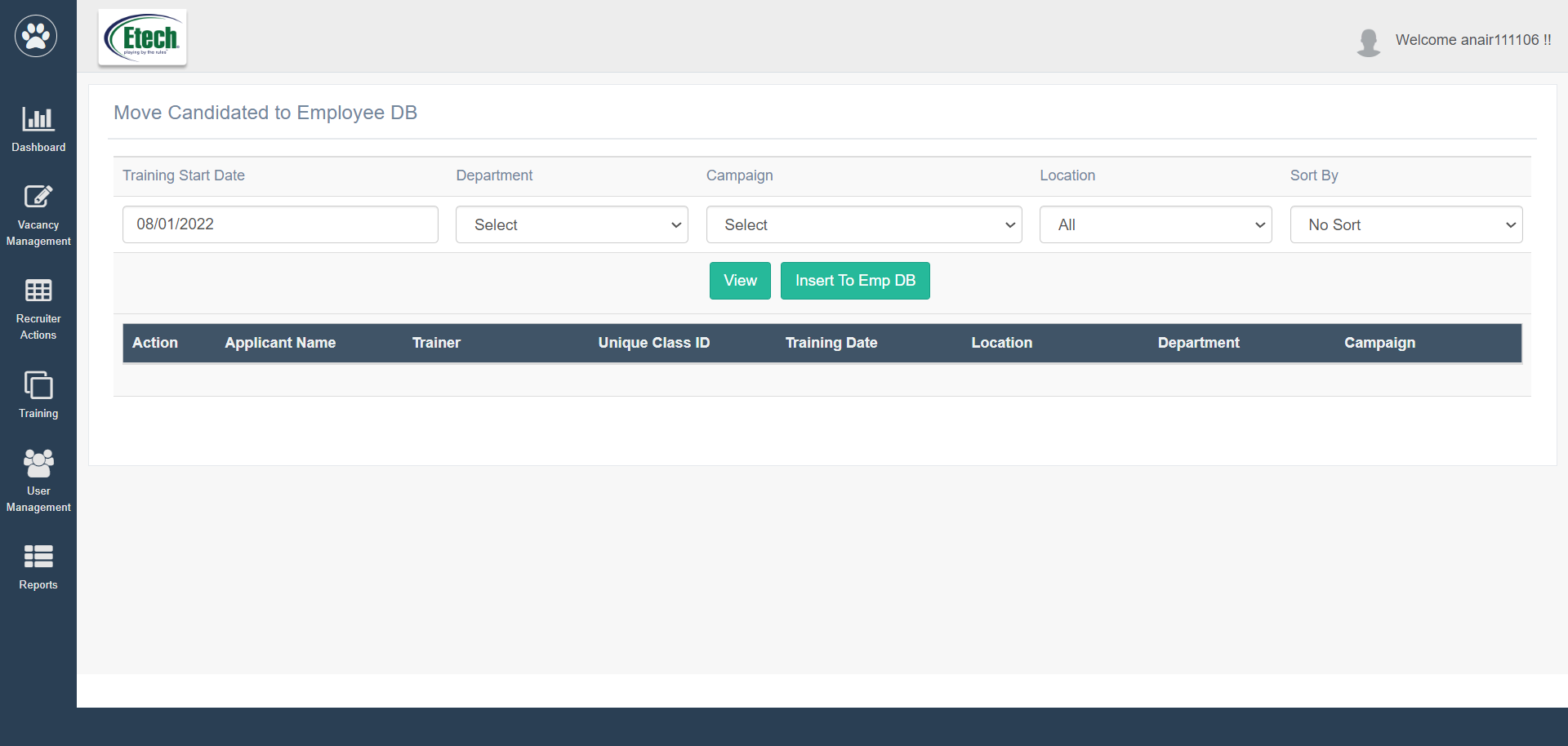
To search for the candidates who were assigned to a specific training class scheduled for a specific date, the recruiters should set the filters displayed on this page.
The filters to be configured are:
| Elements | Description |
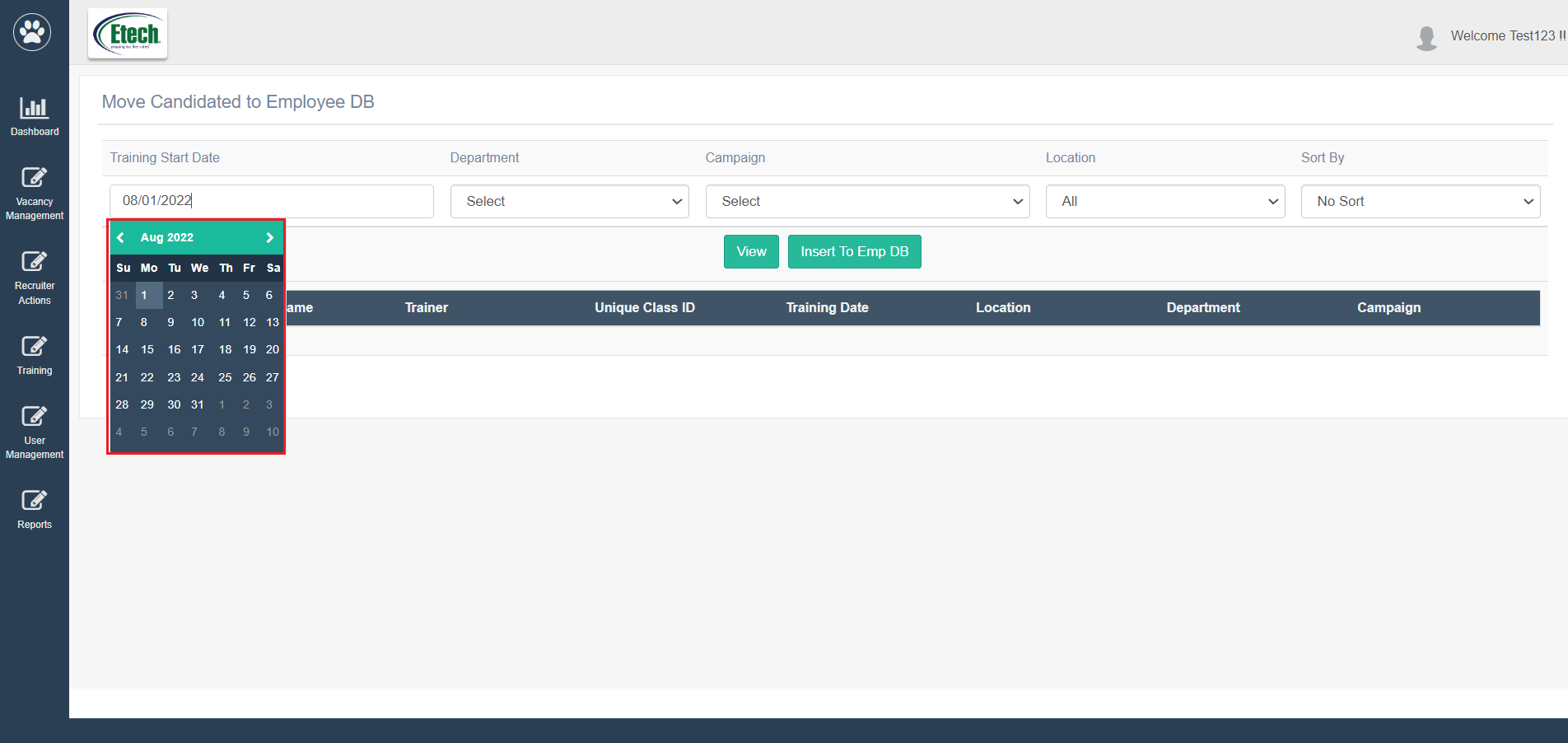
| Training Start Date | Select the required training date from the date picker option.
|
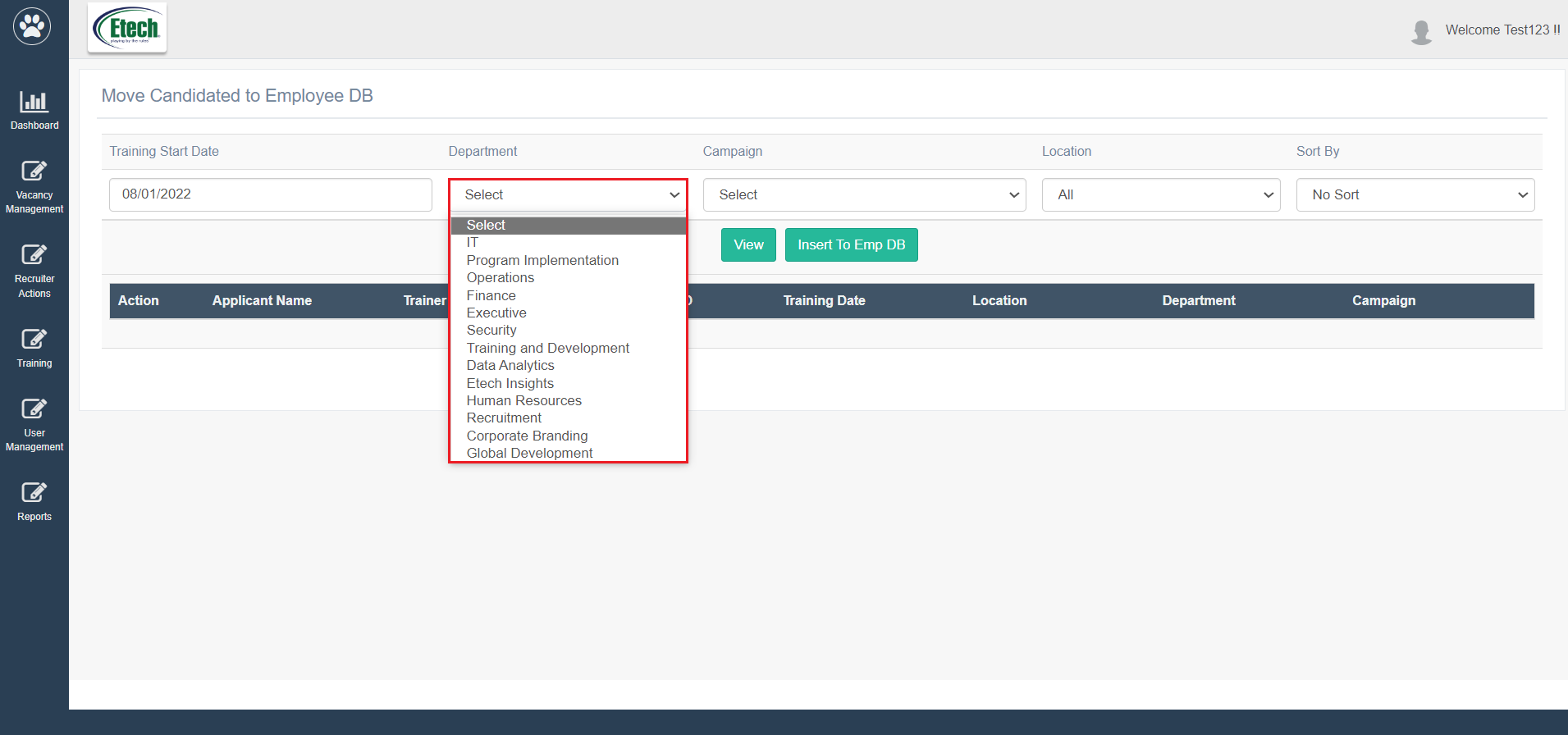
| Department | Select the required department from the dropdown list.
|
| Campaign | Select the required campaign from the dropdown list which displays the campaigns based on the selection of the Department.
|
| Location | Select the required location from the dropdown list.
|
| Sort By | To sort the data displayed on the result, select the required sorting method from the dropdown list.
|
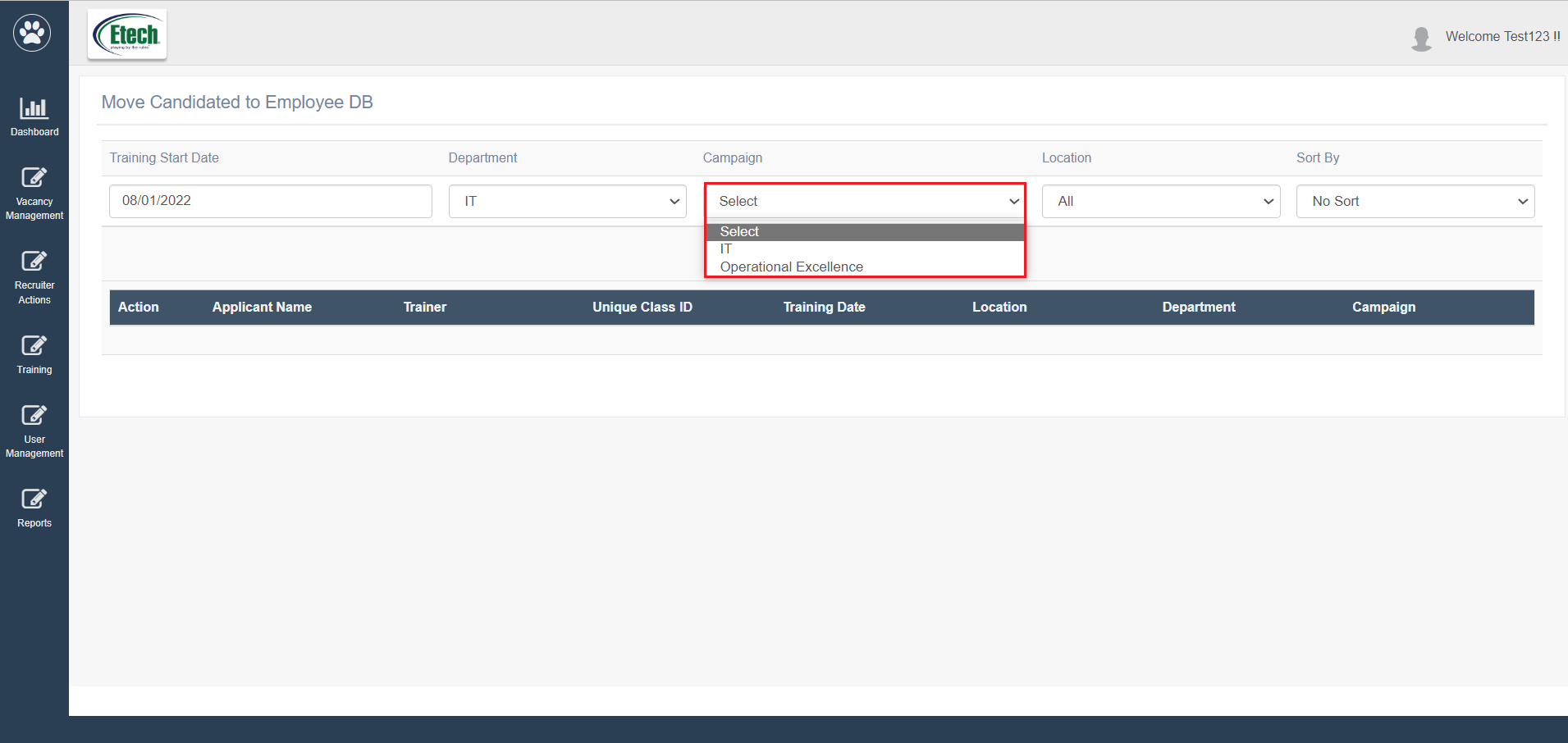
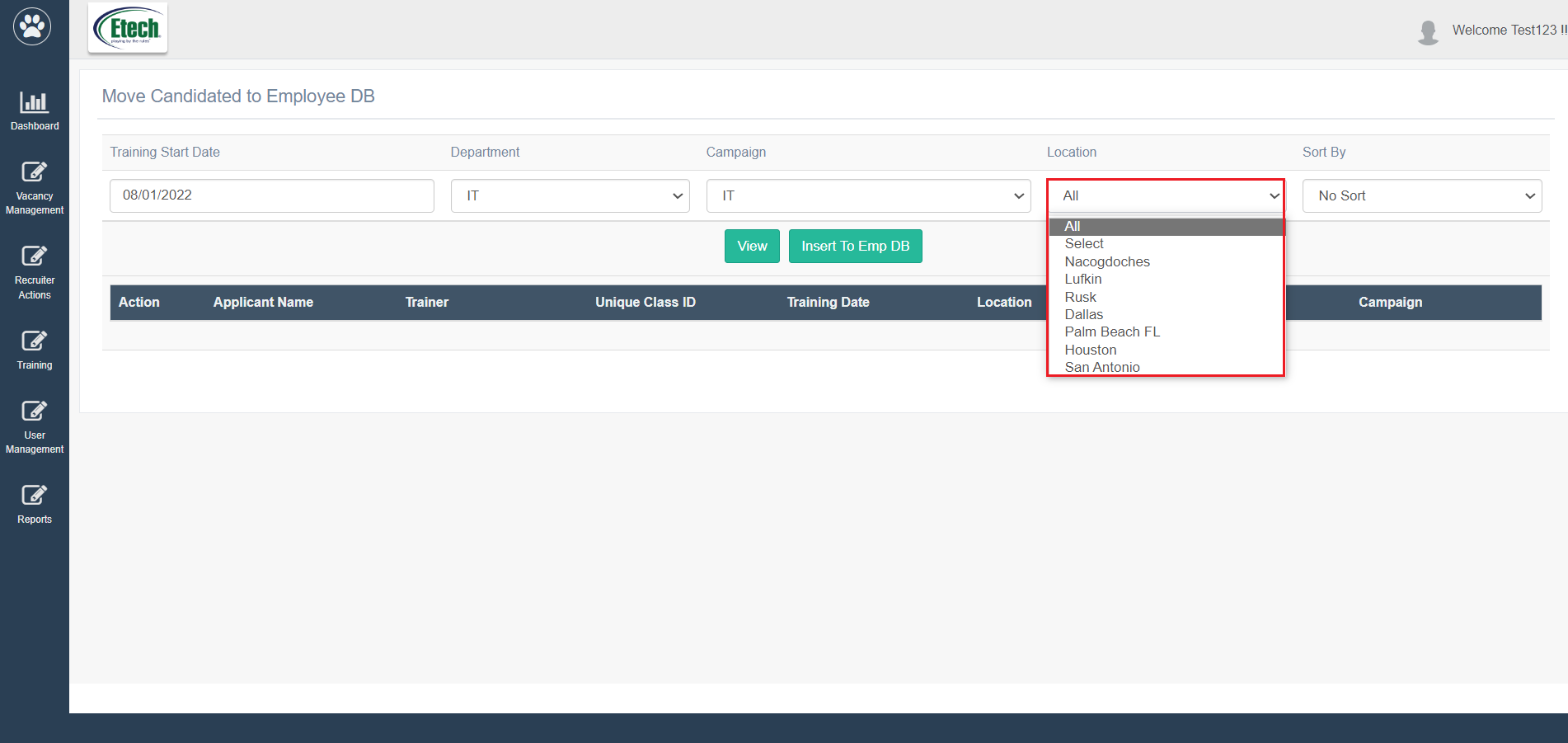
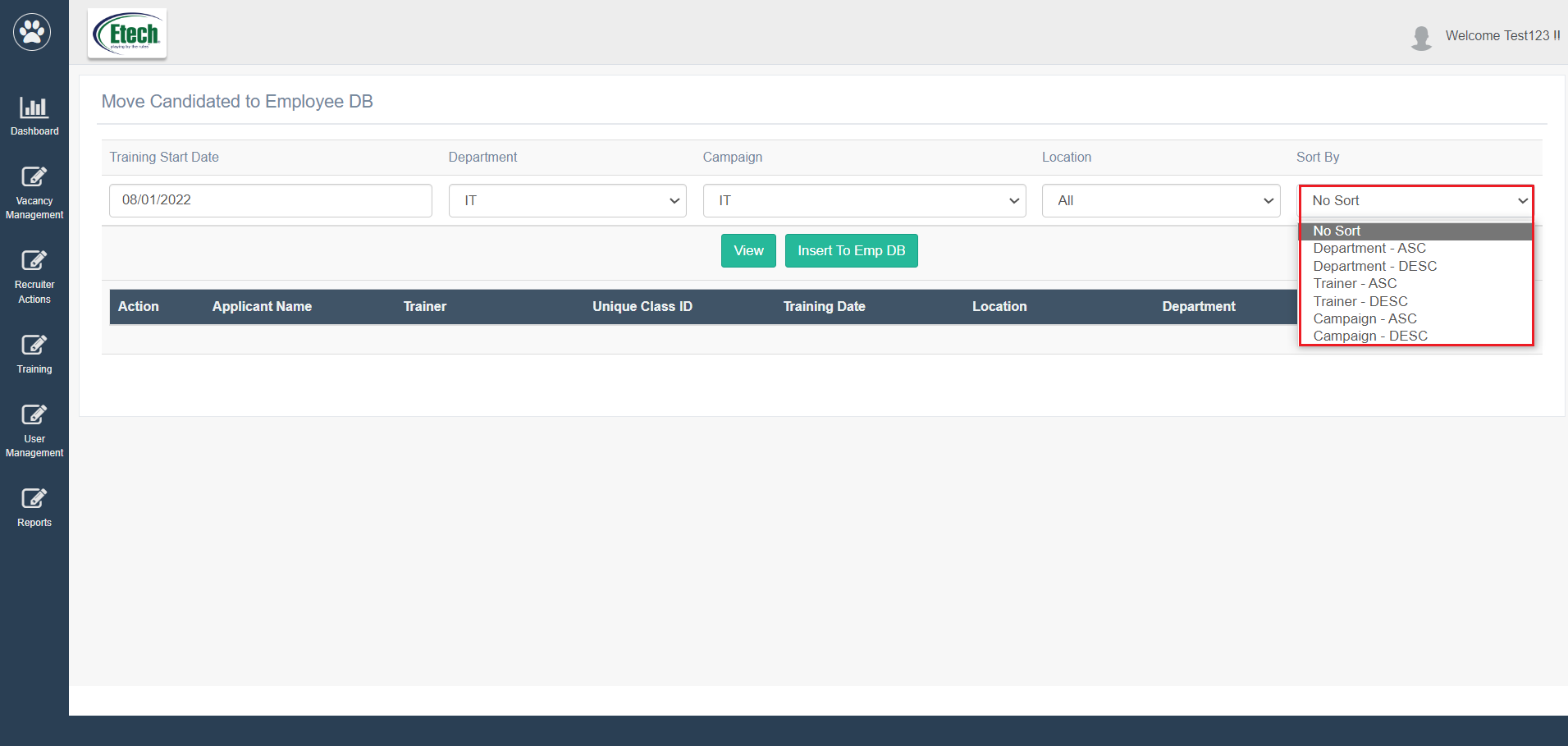
Once the search filters are set, click on the View button.

Based on the set filters, the candidates assigned to the finalized training class will be displayed in the grid on the same screen as shown below:
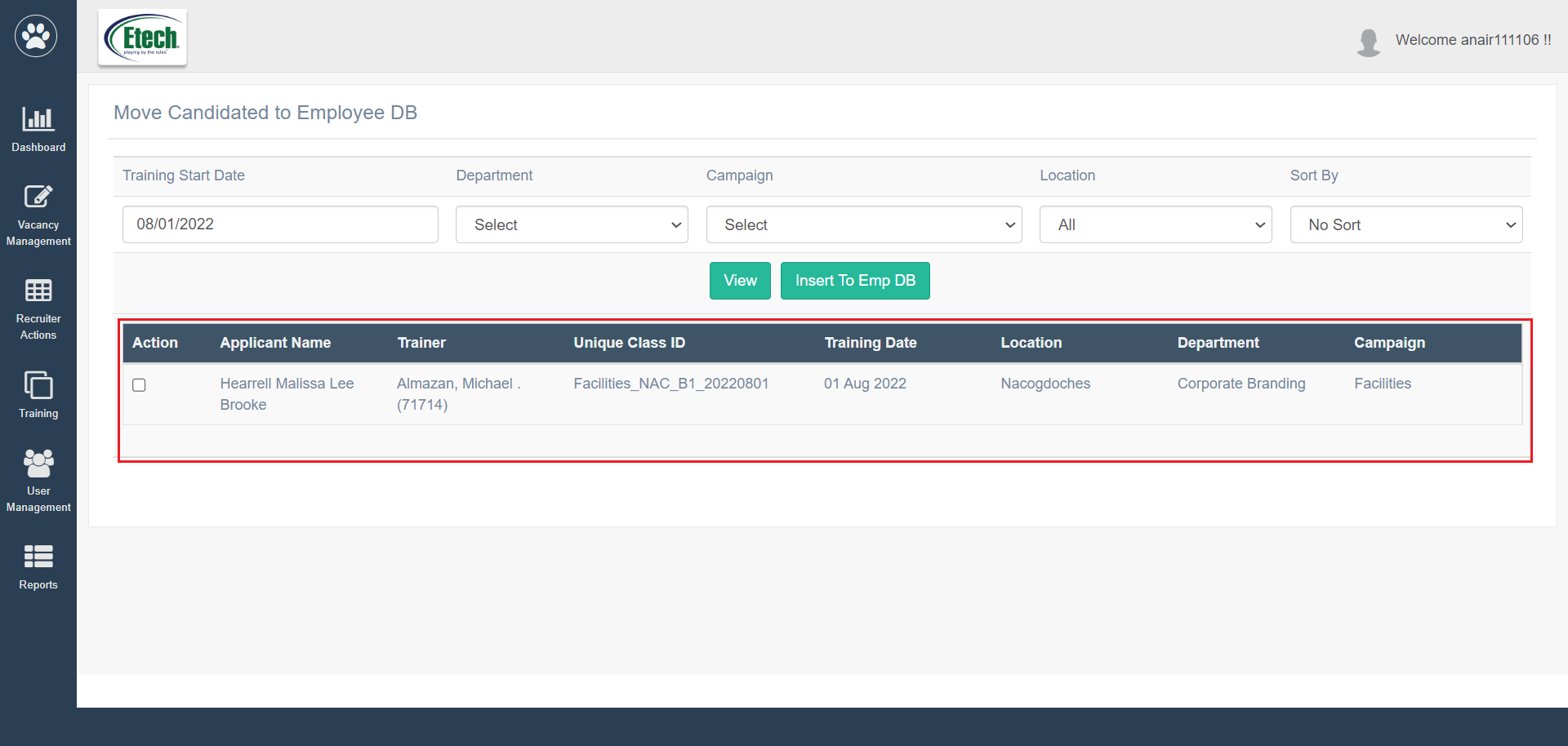
The following data columns will be displayed on this grid:
| Column Name | Description |
| Action | Displays a checkbox for the recruiter to select, if the specific candidate’s data needs to be moved to the employee database AID.
|
| Applicant Name | Displays the name of the candidate. |
| Trainer | Displays the name of the trainer who will be taking the scheduled training class for the candidates. |
| Unique Class ID | Displays the class ID which is unique to all the training classes. |
| Training Date | Displays the training scheduled date which is to be conducted by the trainer. |
| Location | Displays the work location of the candidate. |
| Department Date | Displays the department of the candidate. |
| Campaign | Displays the campaign of the candidate. |
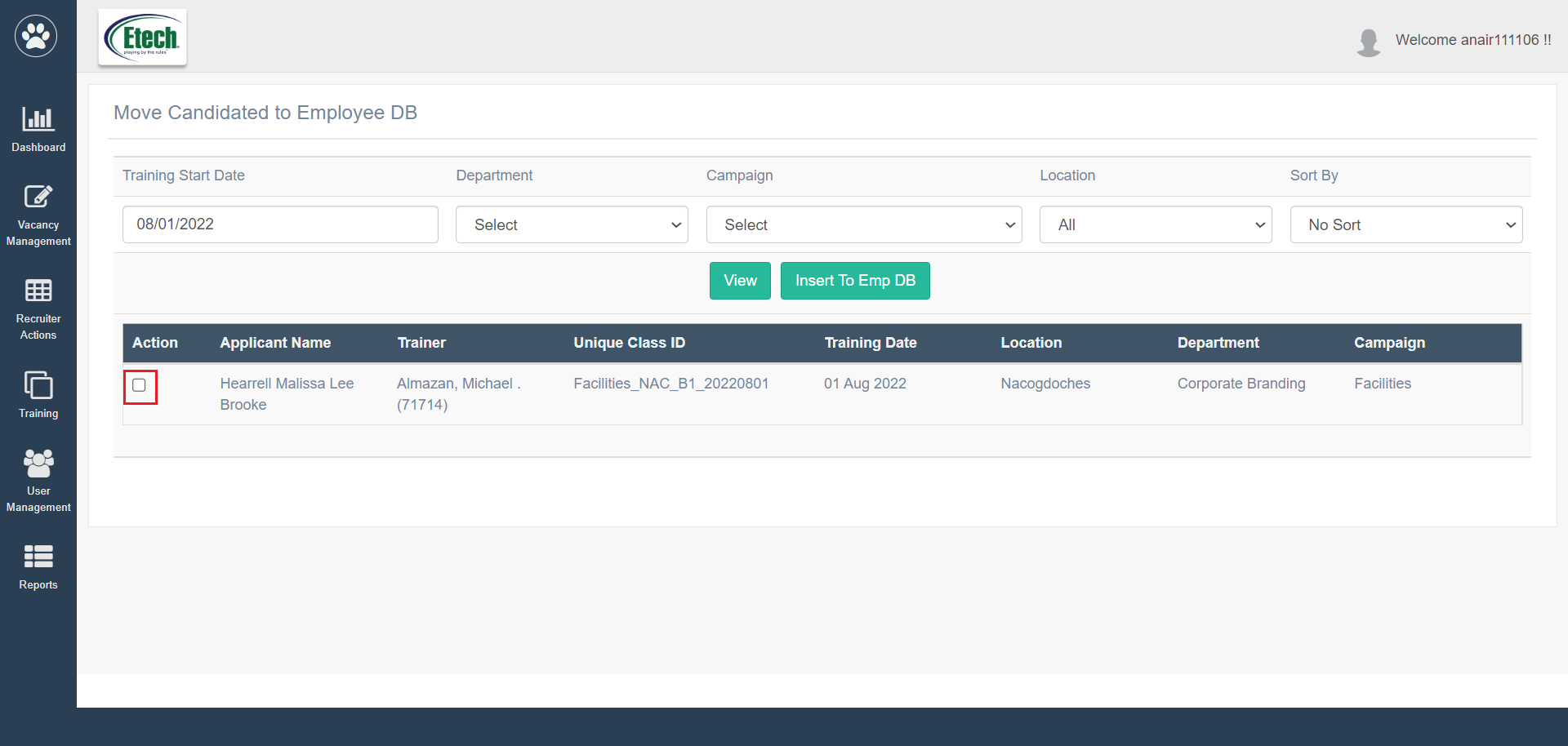
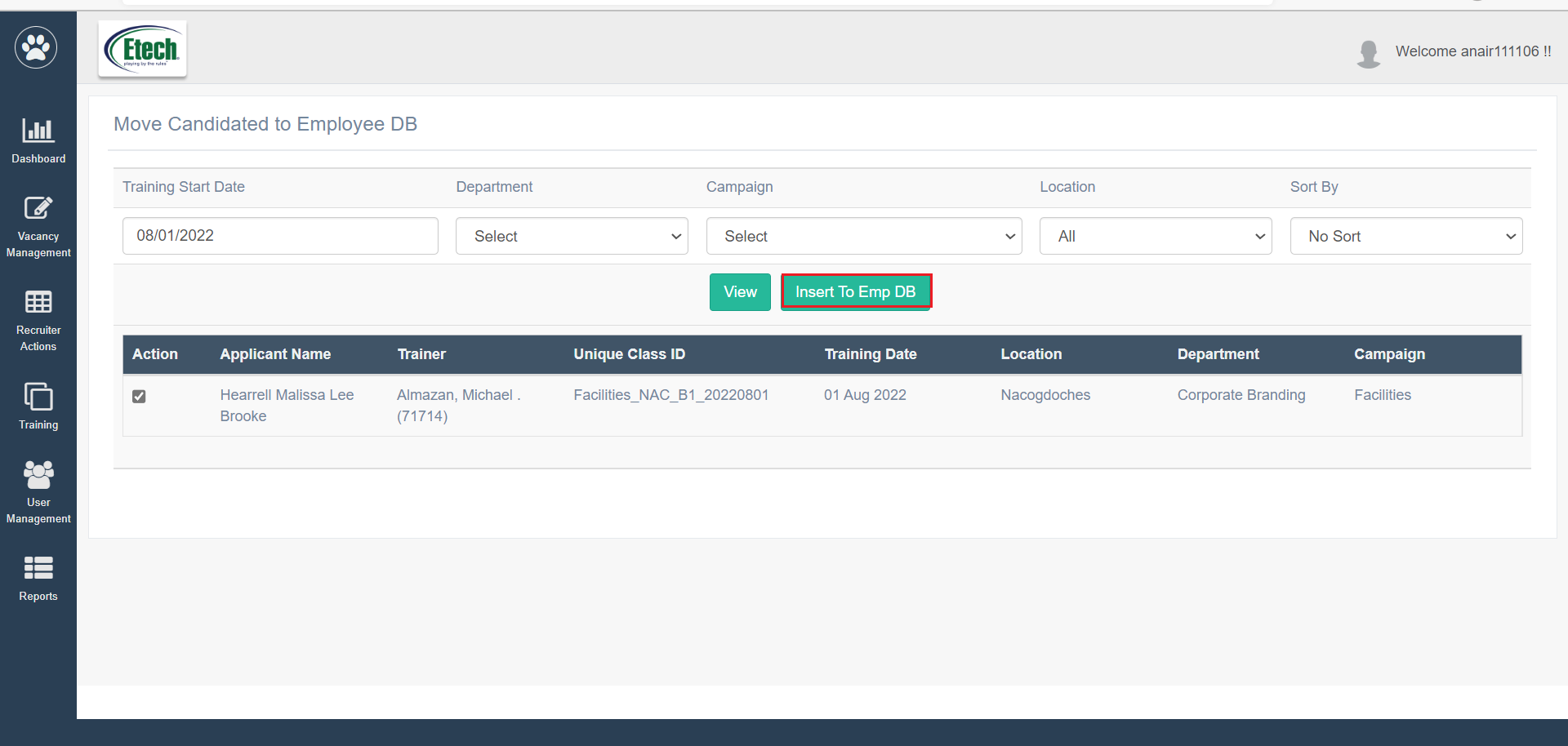
Once the checkbox displayed under the Action column is selected against the specific candidate(s), then click on the Insert to Emp DB button.
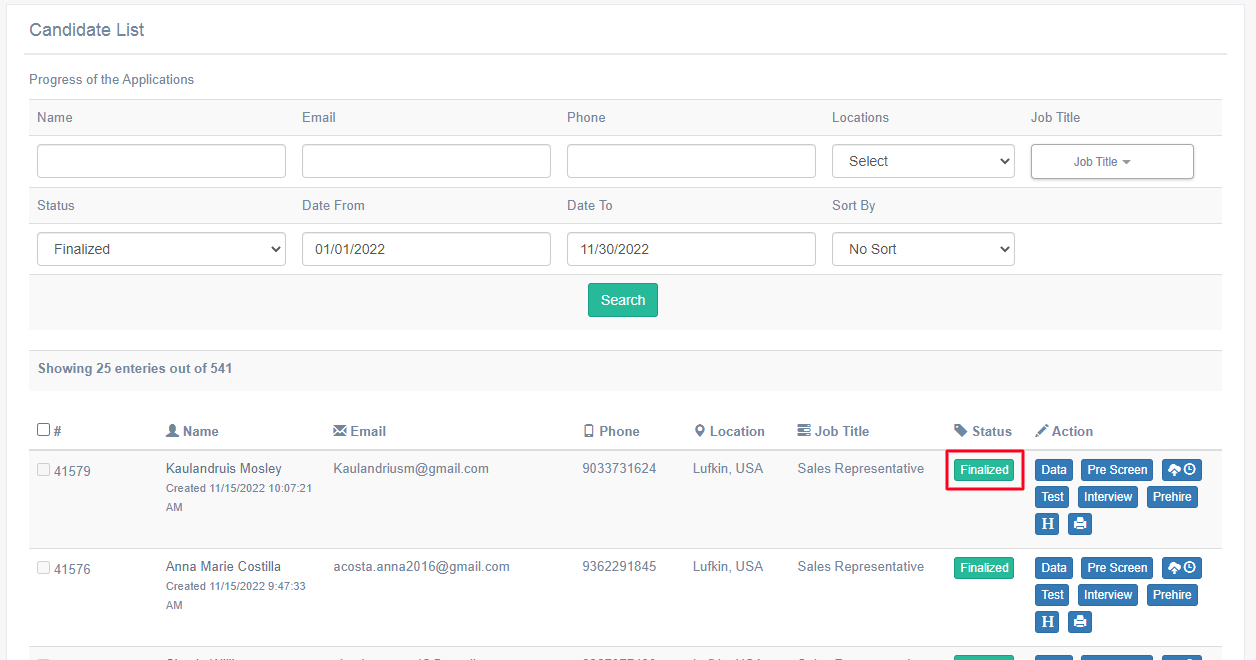
Once the candidate(s) are/ is moved to the employee database, the application status changes to “Finalized” and it will be displayed on the Candidate List page as shown below:
Once the candidate is moved to the employee database, then on ATS, no details will be editable for that candidate, and only the comment sections will be configurable in all the recruitment tabs – Prescreen, Test, Interview, etc.