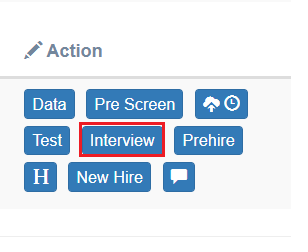
When a candidate passes the Test stage successfully, only then, the Interview action tab will be displayed under the Action column on the Candidate List page of ATS.
The recruiter can schedule or reschedule the interview, record the details of the interviewers, and by providing the interview result of the candidate. Recruiters can even rate the candidates overall and also based on the candidate’s communication skills.
To access this page, select Recruiter Actions > Candidate List > Interview tab.
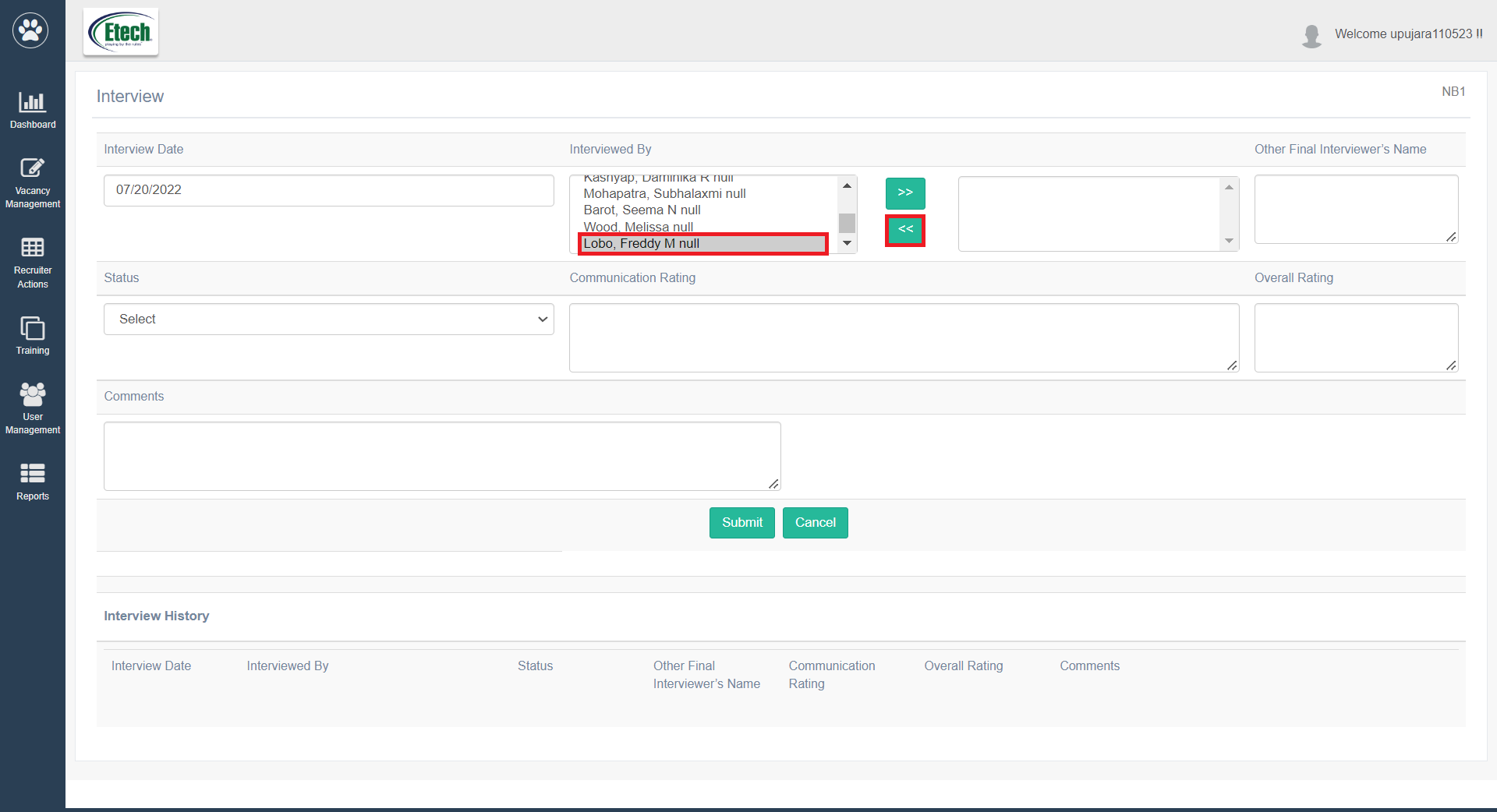
The Interview page will be displayed as shown below:
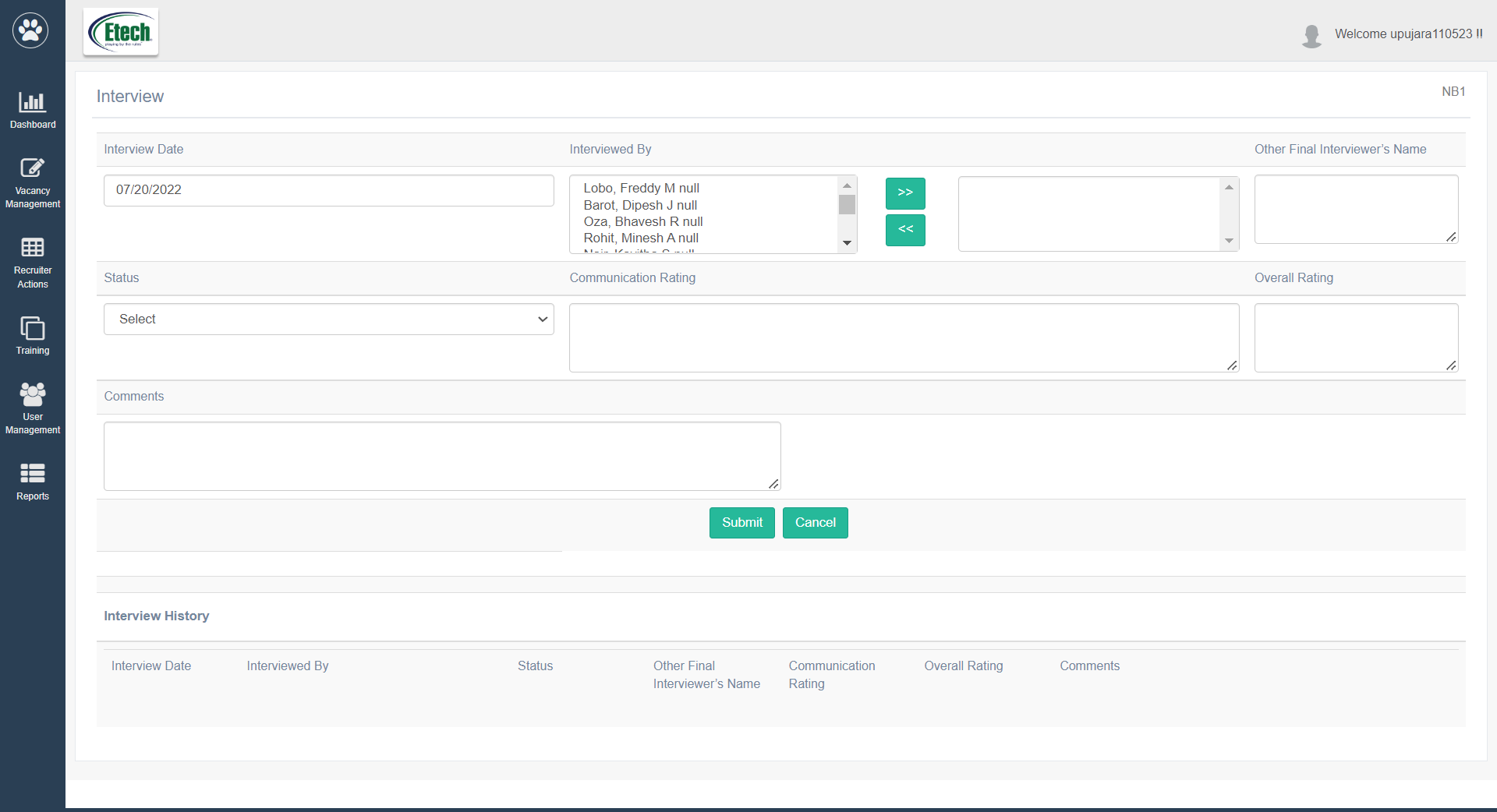
To add any interview details of any candidate, configure the following details:
| Fields | Description |
| Interview Date | The date will display the current date by default. To change the date, select it from the date picker option. |
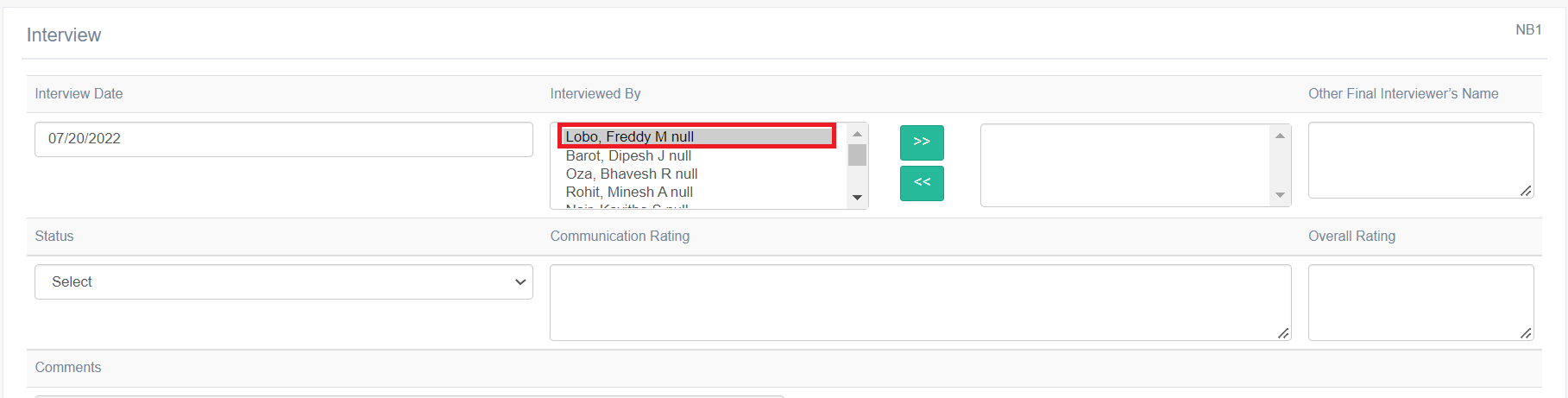
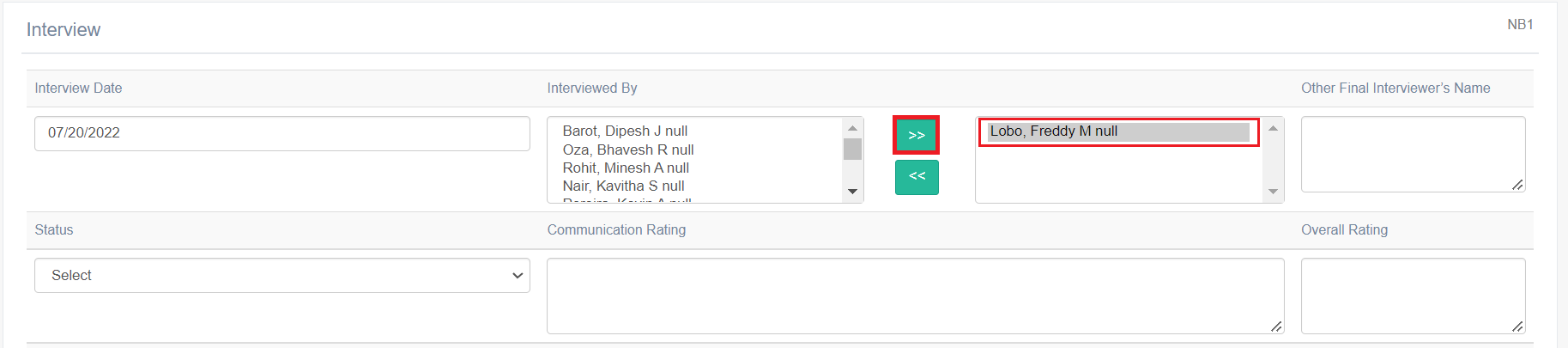
| Interviewed By | Select one or multiple interviewers’ names who conducted or will conduct the interview of the candidate.
To select the names,
To unselect any name,
|
| Other Final Interviewer’s Name | Enter the name of the additional interviewers or if the names of the required interviewers are not displayed under the Interviewed By list. |
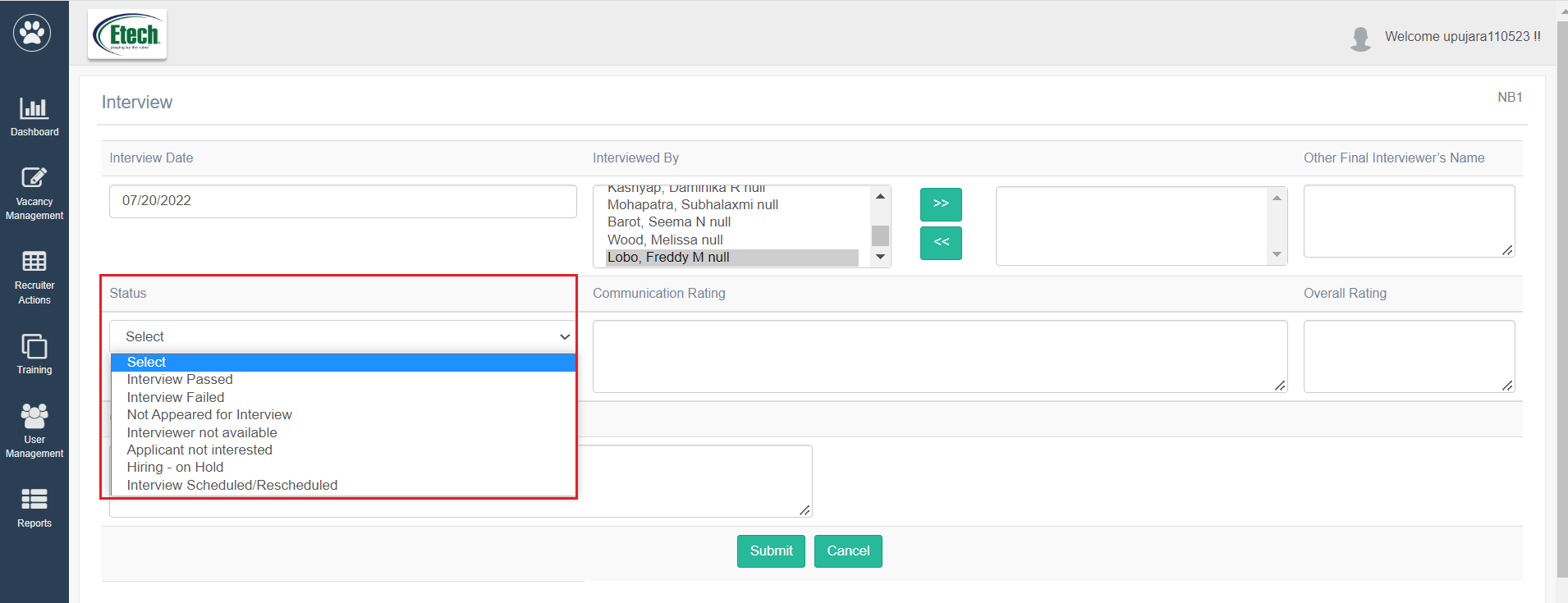
| Status | The recruiter can select the test outcome status from the Status dropdown list.
Application status on the Candidate List page gets updated accordingly once submitted. |
| Communication Rating | Provide the ratings of the candidate based on his/her communication skills. |
| Overall Rating | Provide the ratings of the candidate based on his/her performance in the entire recruitment process. |
| Comments | Enter any comments or remarks if required. |
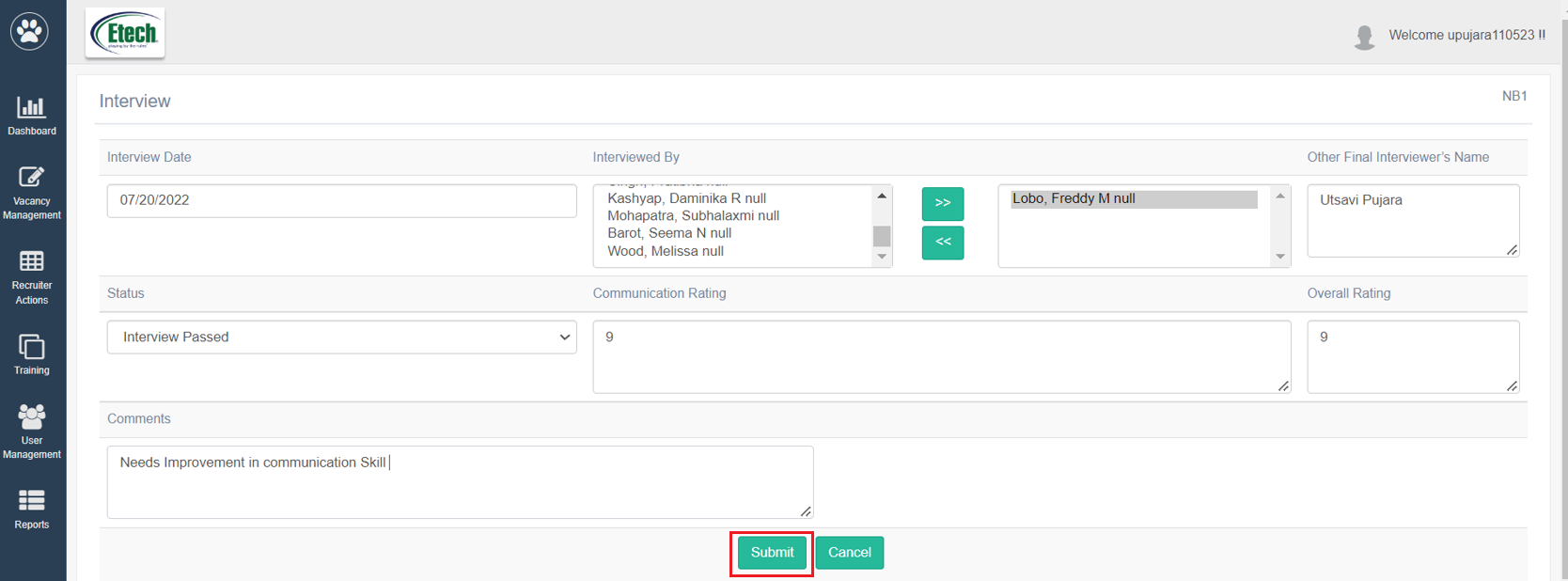
Once all the necessary details are configured, click on Submit button.
To discard the changes, click on the Cancel button.
Note: The recruiter will be able to edit the information on the Interview page when the Status field is set as any option other than the Interview Passed and submitted.
The Interview History is also maintained and displays all the interview details provided for the same candidate on the same page.

INTERVIEW PASSED
To pass a candidate, follow the steps mentioned below:
- Open the Interview action tab.
- Under the Interviewed By, select and move the interviewers’ names from the right box to the left box.
- Under Other Final Interviewer’s Name, provide additional Interviewer’s Name.
- On the Interview page, select the option Interview Passed from the Status dropdown list.
- Provide Communication Rating and Overall Rating.
- Provide Comments if required.
- Click Submit.
The status of the candidate will be displayed as Interview Passed on the Candidate List page.

INTERVIEW FAILED
To fail a candidate, follow the steps mentioned below:
- Open the Interview action tab.
- Under the Interviewed By, select and move the interviewers’ names from the right box to the left box.
- Under Other Final Interviewer’s Name, provide additional Interviewer’s Name.
- On the Interview page, select the option Interview Failed from the Status dropdown list.
- Provide Communication Rating and Overall Rating.
- Provide Comments if required.
- Click Submit.
The status of the candidate will be marked as Interview Failed on the Candidate List page.
INTERVIEW SCHEDULED / RESCHEDULED
To reschedule an interview round for a candidate, follow the steps mentioned below:
- Open the Interview action tab.
- On the Interview page, select the option Interview Scheduled/Rescheduled from the Status dropdown list.
- Provide Comments if required.
- Click Submit.
The status of the candidate will be marked as Interview Scheduled/Rescheduled on the Candidate List page.
APPLICATION CLOSED
When a candidate is not interested anymore in the applied job while being in the Interview stage, select the option Applicant not Interested from the Status dropdown list. Click Submit.
The status of the candidate will be marked as Application Closed on the Candidate List page.