Once the Application Form or Quick Application Form is shared by the recruiters, candidates can fill in their details on these forms to apply for the jobs in which they are interested.
Let’s understand the fields displayed on each form.
Quick Application Form
This application form is available on the EtechGS website. Based on the location of the job, the fields on this form vary.
For jobs in the US, the following are the fields to be configured by the candidates:
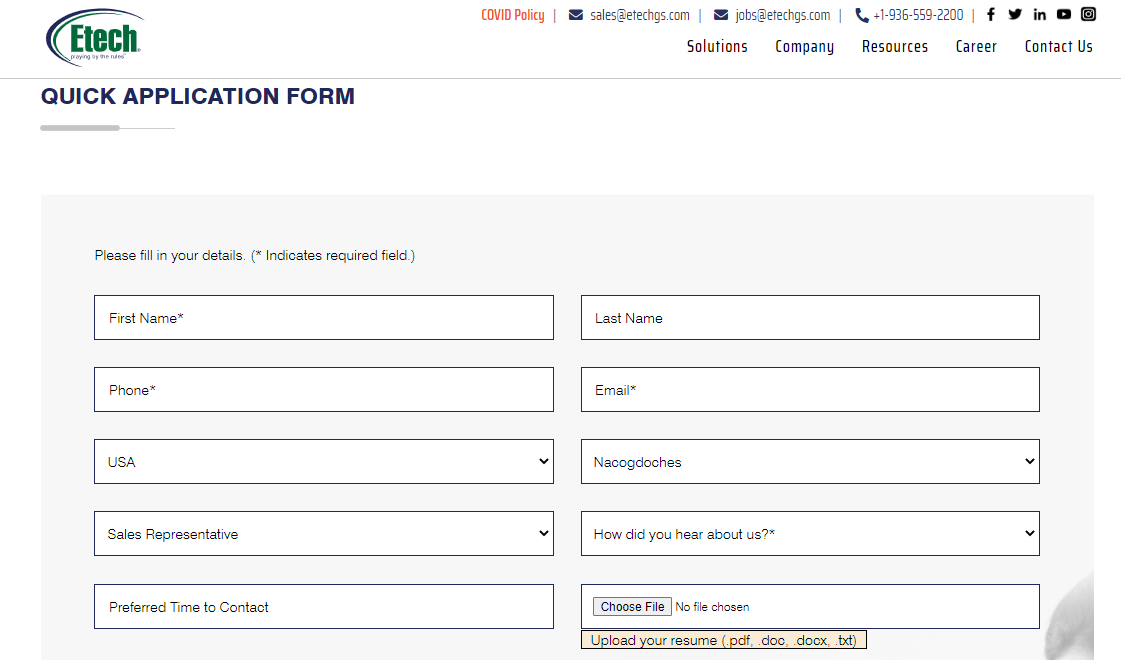
First Name & Last Name: Enter the first and last name of the candidate.
Phone: Enter the candidate’s phone number.
Email: Enter the candidate’s email address.
Country: The country of the specific job will be displayed by default.
City: Similarly, the city of the specific job will be displayed by default.
Job Title: The title of the specific job will be displayed by default.
How did you hear about us?: Select the applicable option displayed under this dropdown list of options such as – Google, LinkedIn, Etech Employees, etc.
Preferred Time to Contact: Select the appropriate date and time from the date and time picker option, for the recruiters to contact the candidates.
Upload Resume: Upload the candidate’s resume in PDF, DOC, DOCX and TXT format.
Are you a Student?: Click on this toggle button to confirm or deny with the question.
Are you 16 years or older and have you received a HS Diploma or GED?: Click on this toggle button to confirm or deny with the question.
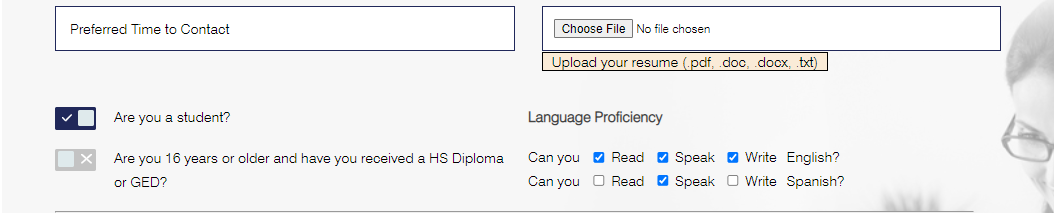
Language Proficiency: A list of languages will be displayed, and along with that Read, Write and Speak checkboxes will be displayed. Select the applicable checkbox(es).
Consents: Different consents will be displayed along with the respective checkboxes. Select these checkboxes to provide particular consent.
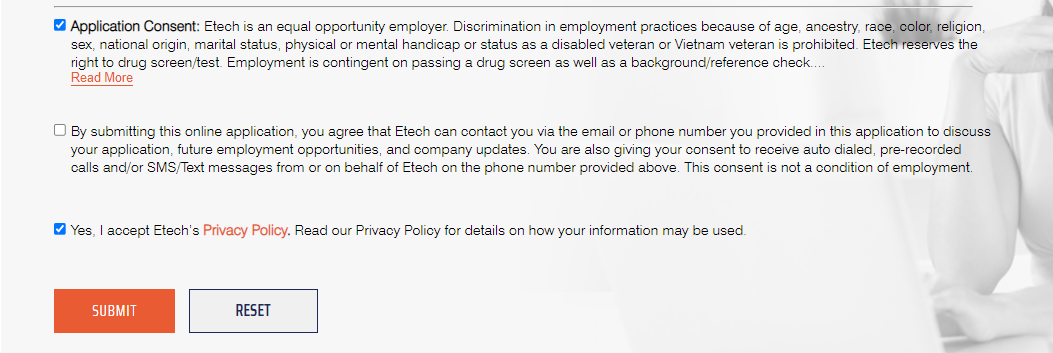
Once all the details are provided, click on Submit button and the candidate’s application will be posted directly on ATS.
ATS Application Form
This application form is available on the ATS platform. Based on the location of the job, the fields on this form vary.
For jobs in the US, the following are the fields to be configured by the candidates:
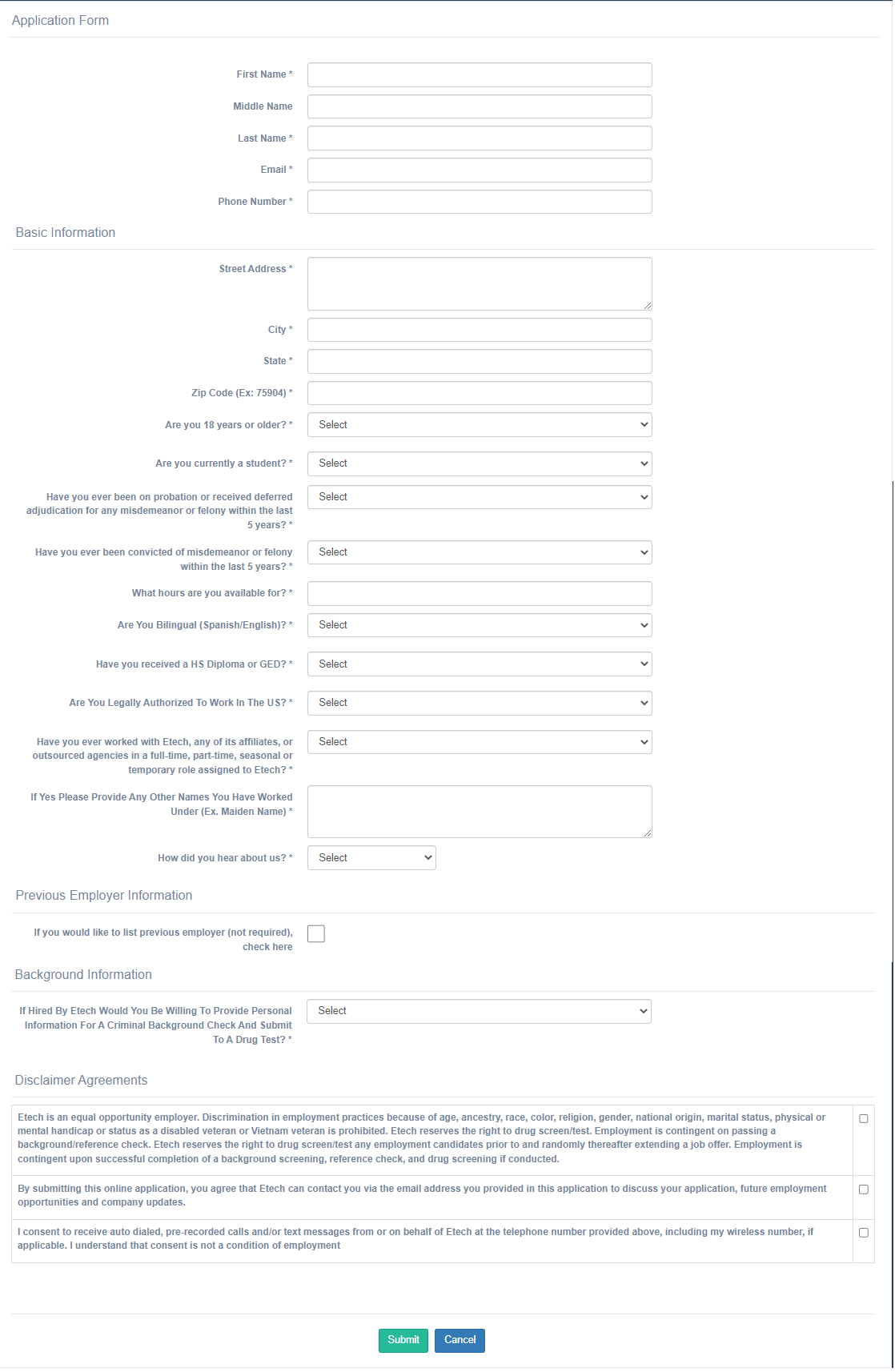
First Name, Middle Name & Last Name: Enter the first and last name of the candidate.
Email: Enter the candidate’s email address.
Phone: Enter the candidate’s phone number.
Basic Information
Street Address: Enter the address of the candidate.
City: Enter the candidate’s city name.
State: Enter the candidate’s state name.
Zip Code (Ex: 75904): Enter the zip code.
Are you 18 years or older?: Select Yes or No option from the dropdown list.
Are you currently a student?: Select Yes or No option from the dropdown list.
Have you ever been on probation or received deferred adjudication for any misdemeanor or felony within the last 5 years?: Select Yes or No option from the dropdown list.
Have you ever been convicted of misdemeanor or felony within the last 5 years?: Select Yes or No option from the dropdown list.
- If the Yes option is selected, Please describe what was the charge and the disposition date.
What hours are you available for?: Enter the candidate’s preferred time of contact.
Are You Bilingual (Spanish/English)?: Select Yes or No option from the dropdown list.
Have you received a HS Diploma or GED?: Select Yes or No option from the dropdown list.
- If the Yes option is selected, select the applicable Highest level of education from its dropdown list of options.
- Enter the information in the text box for From where they received HSD/GED/Degree, and When they received HSD/GED/Degree.
Are You Legally Authorized To Work In The US?: Select Yes or No option from the dropdown list.
Have you ever worked with Etech, any of its affiliates, or outsourced agencies in a full-time, part-time, seasonal or temporary role assigned to Etech?: Select Yes or No option from the dropdown list.
If Yes Please Provide Any Other Names You Have Worked Under (Ex. Maiden Name): Enter the different name of the same candidate in the text box, if applicable.
How did you hear about us?: Select the applicable option displayed under this dropdown list of options such as – Google, LinkedIn, Etech Employees, etc.
Previous Employer Information
If you would like to list previous employer (not required), check here: Select this checkbox if applicable.
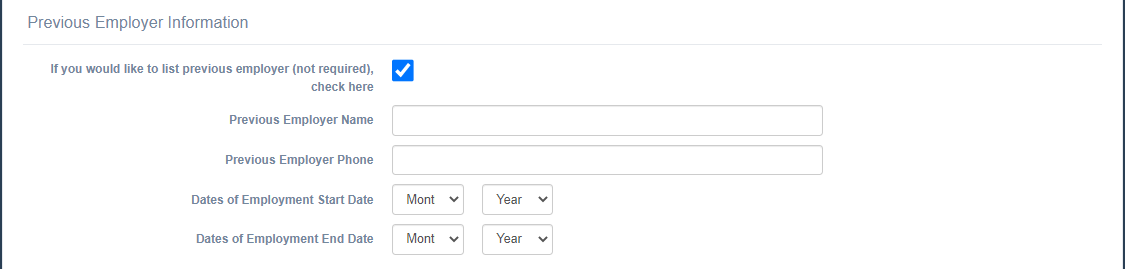
If the checkbox is selected, then the following fields will be displayed:
Previous Employer Name and Previous Employer Phone: Enter the information in the text box.
Dates of Employment Start Date and Dates of Employment Start Date: Select the month and the year from respective dropdown lists.
Background Information
If Hired By Etech Would You Be Willing To Provide Personal Information For A Criminal Background Check And Submit To A Drug Test?: Select Yes or No option from the dropdown list.
Disclaimer Agreements
Different consents will be displayed along with the respective checkboxes. Select these checkboxes to provide particular consent.
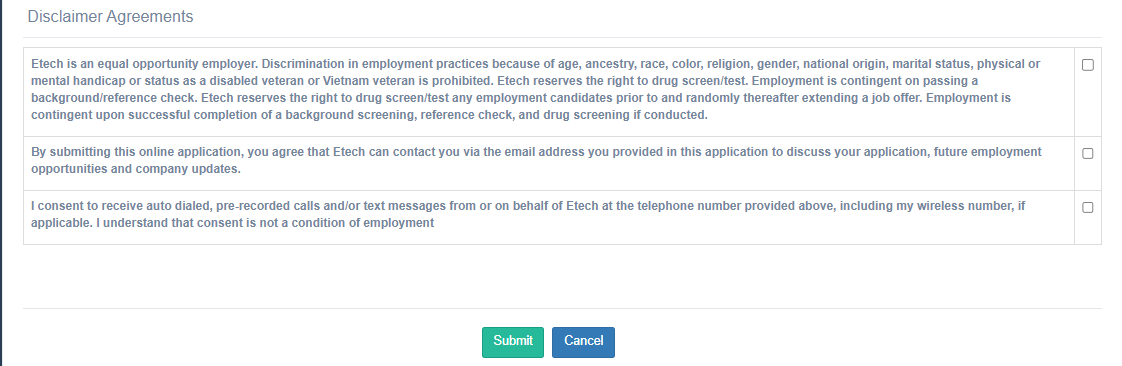
Once all the details are provided, click on Submit button and the candidate’s application will be posted directly on ATS, and the details will be displayed on the Candidate List page.