Once the Application Form or Quick Application Form is shared by the recruiters, candidates can fill in their details on these forms to apply for the jobs in which they are interested.
Let’s understand the fields displayed on each form.
Quick Application Form
This application form is available on the EtechGS website. Based on the location of the job, the fields on this form vary.
For jobs in India, the following are the fields to be configured by the candidates:
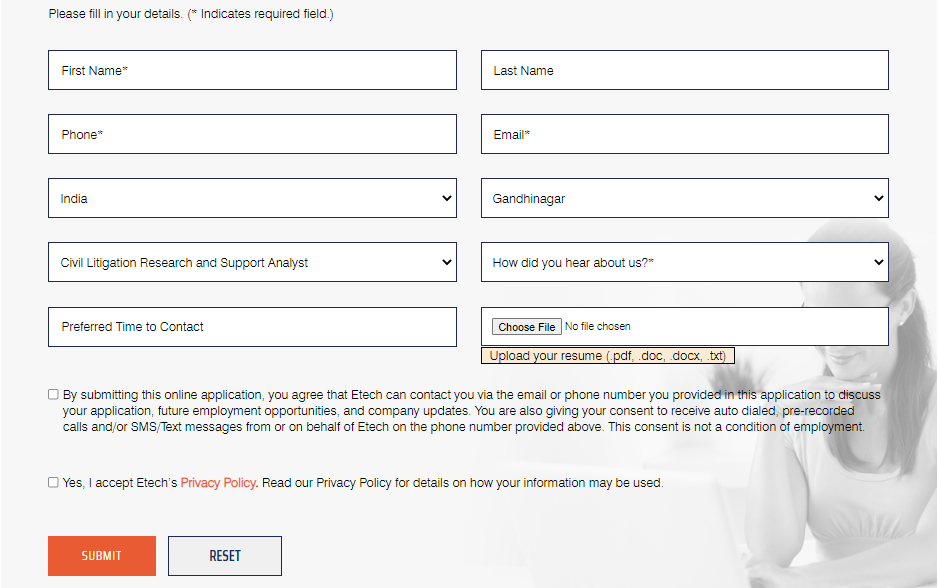
First Name & Last Name: Enter the first and last name of the candidate.
Phone: Enter the candidate’s phone number.
Email: Enter the candidate’s email address.
Country: The country of the specific job will be displayed by default.
City: Similarly, the city of the specific job will be displayed by default.
Job Title: The title of the specific job will be displayed by default.
How did you hear about us?: Select the applicable option displayed under this dropdown list of options such as – Google, LinkedIn, Etech Employees, etc.
Preferred Time to Contact: Select the appropriate date and time from the date and time picker option, for the recruiters to contact the candidates.
Upload Resume: Upload the candidate’s resume in PDF, DOC, DOCX, and TXT format.
Consents: Different consents will be displayed along with the respective checkboxes. Select these checkboxes to provide particular consent.
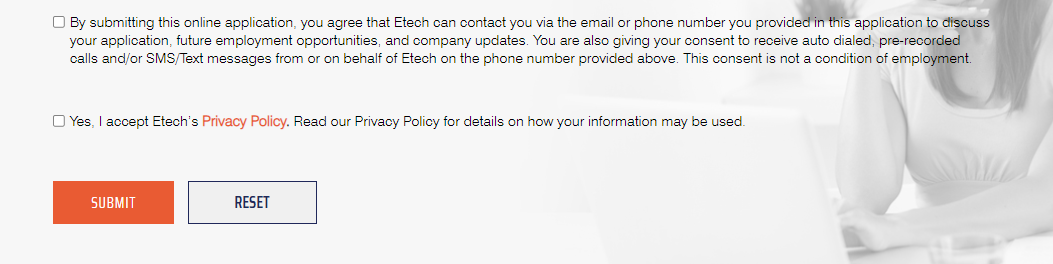
Once all the details are provided, click on Submit button and the candidate’s application will be posted directly on ATS.
ATS Application Form
This application form is available on the ATS platform. Based on the location of the job, the fields on this form vary.
For jobs in India, the following are the fields to be configured by the candidates:
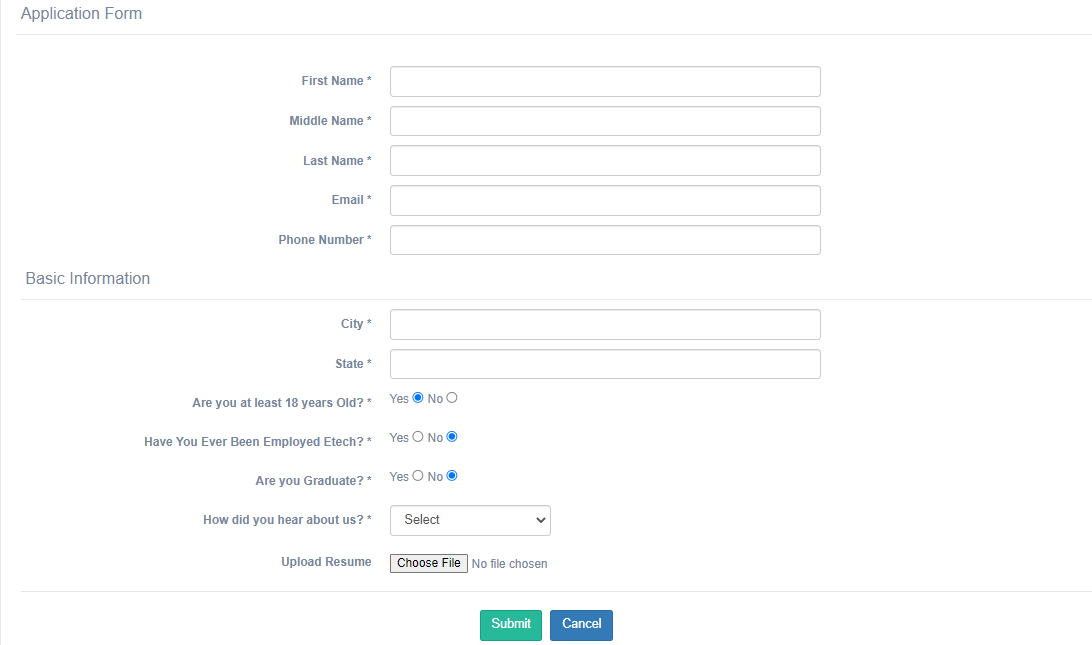
First Name, Middle Name & Last Name: Enter the first and last name of the candidate.
Email: Enter the candidate’s email address.
Phone Number: Enter the candidate’s phone number.
Basic Information
City: Similarly, the city of the specific job will be displayed by default.
State: The state of the specific job will be displayed by default.
Are you at least 18 years old?: Select Yes or No radio button to confirm or deny the question respectively.
Have You Ever Been Employed Etech?: Select Yes or No radio button to confirm or deny the question respectively.
Are you Graduate?: Select Yes or No radio button to confirm or deny the question respectively.
How did you hear about us?: Select the applicable option displayed under this dropdown list of options such as – Google, LinkedIn, Etech Employees, etc.
Upload Resume: Upload the candidate’s resume in PDF, DOC, DOCX, and TXT format.
Once all the details are provided, click on Submit button and the candidate’s application will be posted directly on ATS, and the details will be displayed on the Candidate List page.