The authorized users can view the candidate’s application report which will display the details of Job title and Status of the candidate’s application etc.
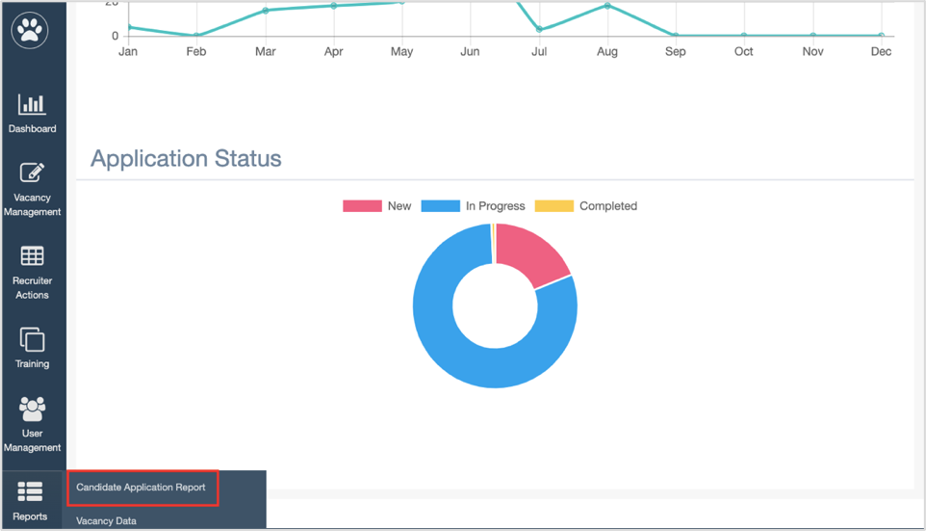
To access this report, select Report > Candidate Application Report.
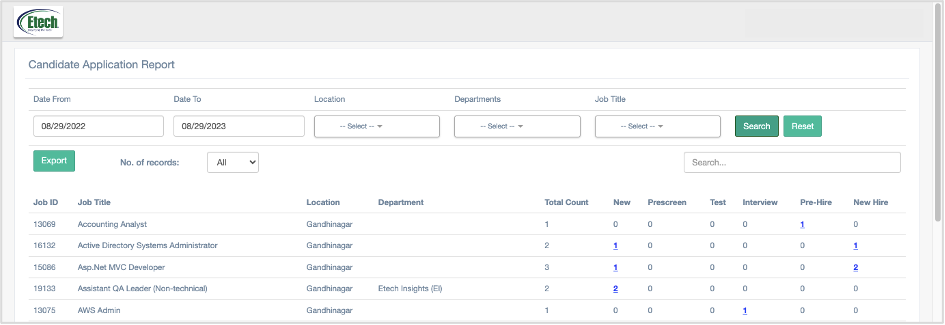
The Candidate Application Report page will be displayed as shown below:
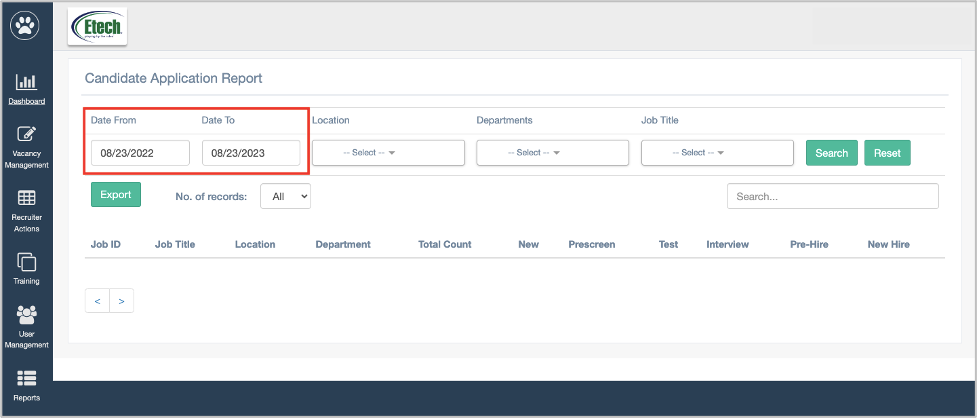
To search for specific dates of specific period, set the date range by selecting the Date From and Date To date pickers.
- Location: Select the specific location from the drop-down list.
- Department: Based on the selection of location, the specific list of departments will be displayed.
- Job Title: Based on the selection of department, the specific list of job titles will be displayed.
Then click on the Search button.
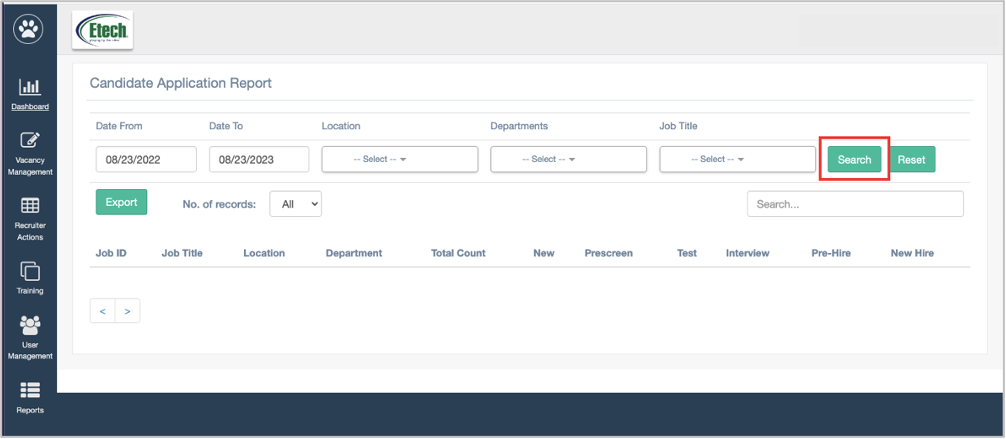
Based on the set filters, the data will be displayed as shown below:
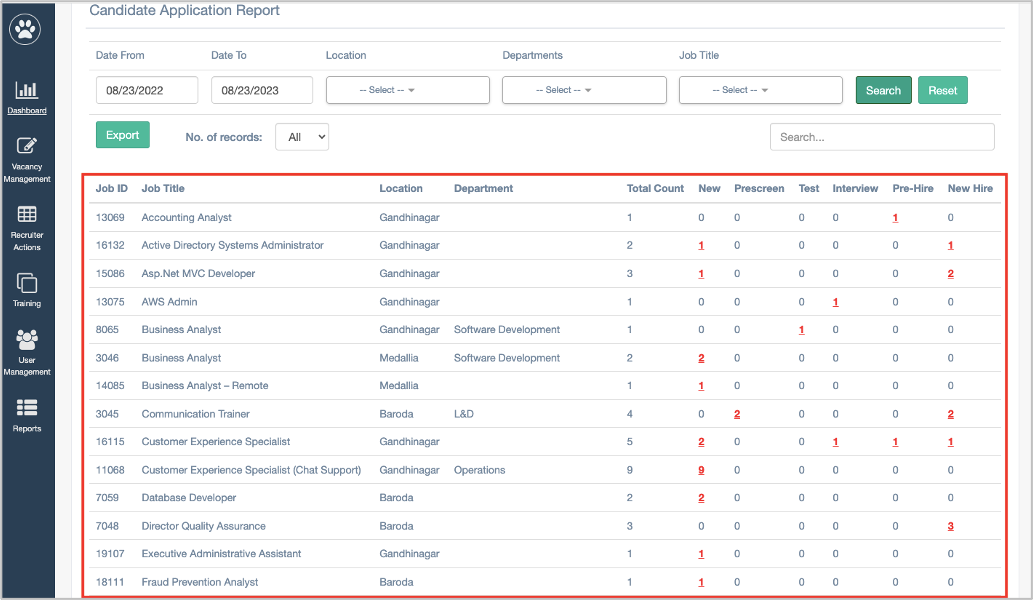 This report displays the following information:
- Job ID: Displays the ID of the specific job title
- Job Title: Displays the job title.
- Location: Displays the location of the specific job title
- Department: Displays the department of the specific job title
- Total Count: Displays the total count of applications received for the specific job
- New : Displays the total count of applications with New Status on ATS for the specific job title.
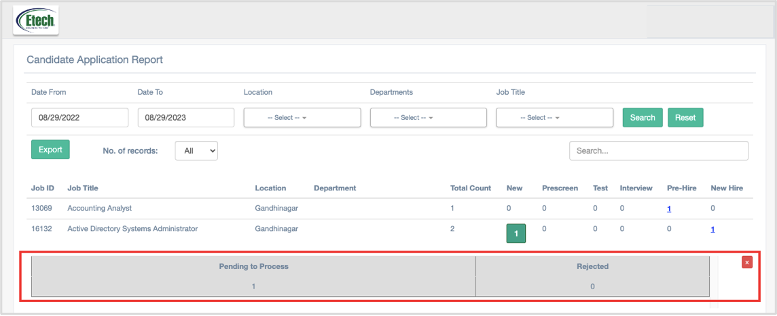
On this grid, following information will be displayed:
- Pending to Process
- Rejected
- Pre-Screen: Displays the total count of applications with the respective statuses related to the Prescreen on ATS for the specific Job Title.
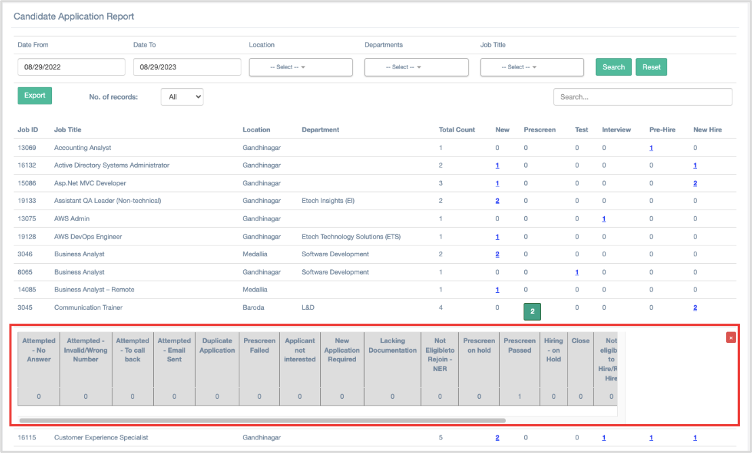
On this grid, following information will be displayed:
- Attempted – No Answer
- Attempted – Invalid/Wrong Number
- Attempted – To call back
- Attempted – Email Sent
- Duplicate Application
- Prescreen Failed
- Applicant not interested
- New Application Required
- Lacking Documentation
- Not Eligible to Rejoin – NER
- Prescreen on hold
- Prescreen Passed
- Hiring – on Hold
- Close
- Not eligible to Hire/Re-Hire
- Shortlisted for Pre Screen
- Basic Call Rejection
- Prescreen Rejected
- Test: Displays the total count of applications with the respective statuses related to the Test on ATS for the specific Job Title.
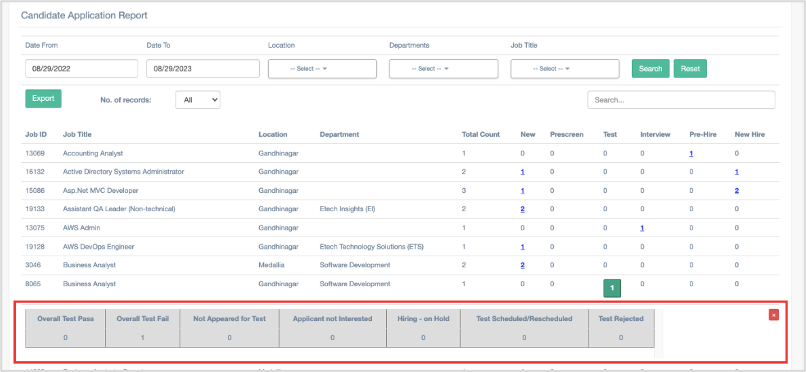
On this grid, following information will be displayed:
- Overall Test Pass
- Overall Test Fail
- Not Appeared for Test
- Applicant Not Interested
- Hiring- On Hold
- Test Scheduled/Rescheduled
- Test Rejected
- Interview: Displays the total count of applications with the respective statuses related to the Interview on ATS for the specific Job Title.
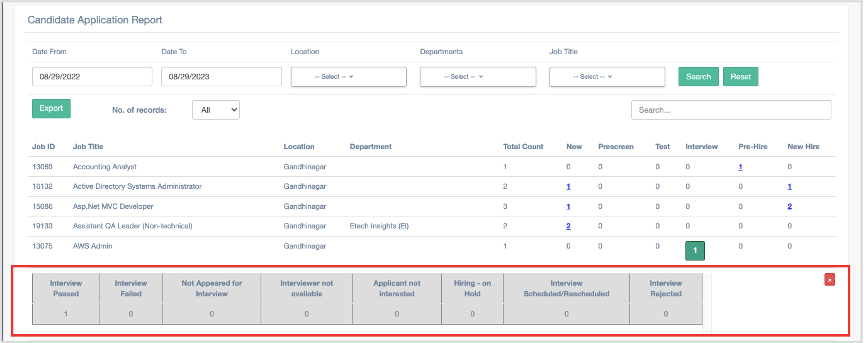
On this grid, following information will be displayed:
- Interview Passed
- Interview Failed
- Not Appeared for Interview
- Interviewer not available
- Applicant not interested
- Hiring – on Hold
- Interview Scheduled/Rescheduled
- Interview Rejected
- Pre-Hire: Displays the total count of applications with the respective statuses related to the Pre-Hire on ATS for the specific Job Title.
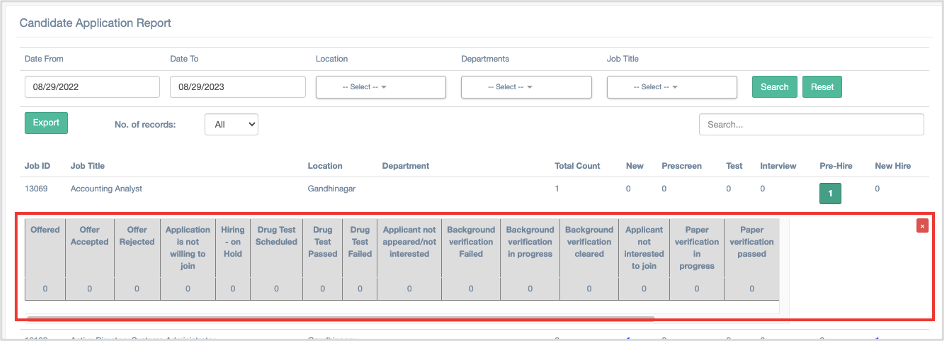
On this grid, following information will be displayed:
- Offered
- Offer Accepted
- Offer Rejected
- Application is not willing to join
- Hiring – on Hold
- Drug Test Scheduled
- Drug Test Passed
- Drug Test Failed
- Applicant not
- Hiring – on Hold
- Background Verification Failed
- Background verification in progress
- Background verification cleared
- Applicant not appeared/not interested
- Applicant not interested to join
- Paper verification in progress
- Paper verification passed
- Paper verification failed
- Pre-Hire Rejected appeared/not interested
- New-Hire: Display the total count of applications with all the following New Hire related statuses on ATS for the specific Job Title.
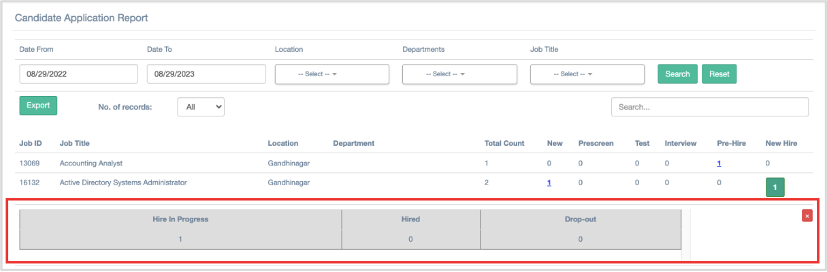
On this grid, following information will be displayed:
- Hire in Progress
- Hired
- Drop-out
The users can enter the keywords in the search text box to search for any specific report.
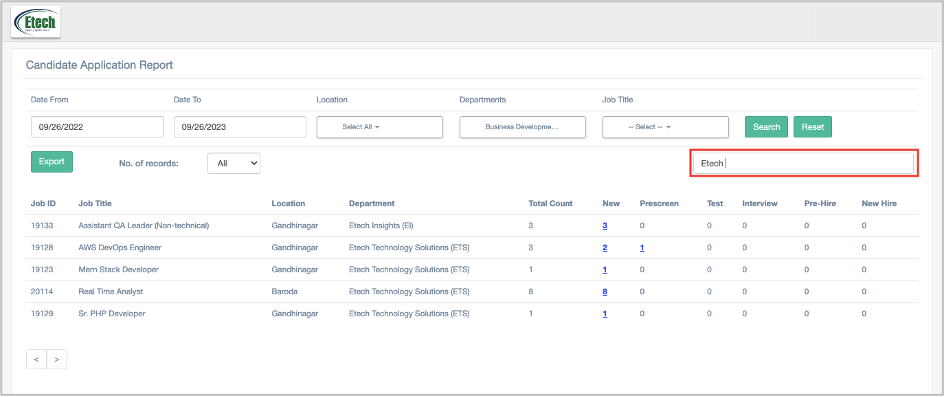
The users can export this report in the Excel format, by clicking on the button.
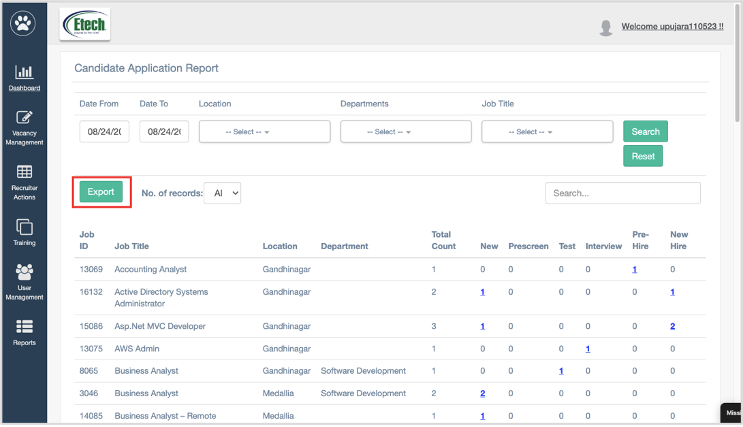
The report will be downloaded into the local system in excel format.